Record it.
ClipsPal edits it.

The AI video editor that does the editing for you.
For talking-head and faceless videos.

Product launch video21:31 → 8:52
Waiting for clips
Transcript
Camera
Visuals
Zoom-ins
Sounds
Subtitles
01Import

Import your clips.
Or just record your voice.

    Editing
    Motion slides
    Visuals
    Punch-ins
    Sounds
    02Auto edit

    The edit you keep putting off, done in one click.

    Zoom-ins

    ·
    Fast zoomCut inSlow zoom

    Subtitles

    Visuals

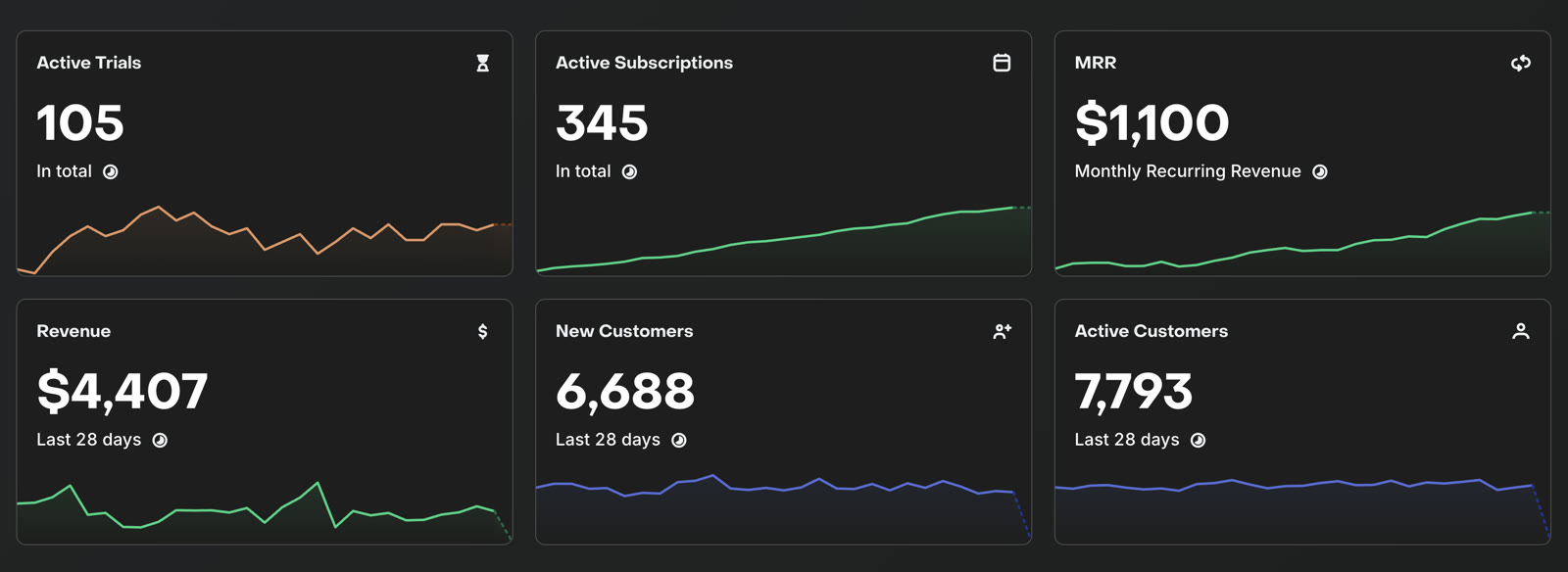
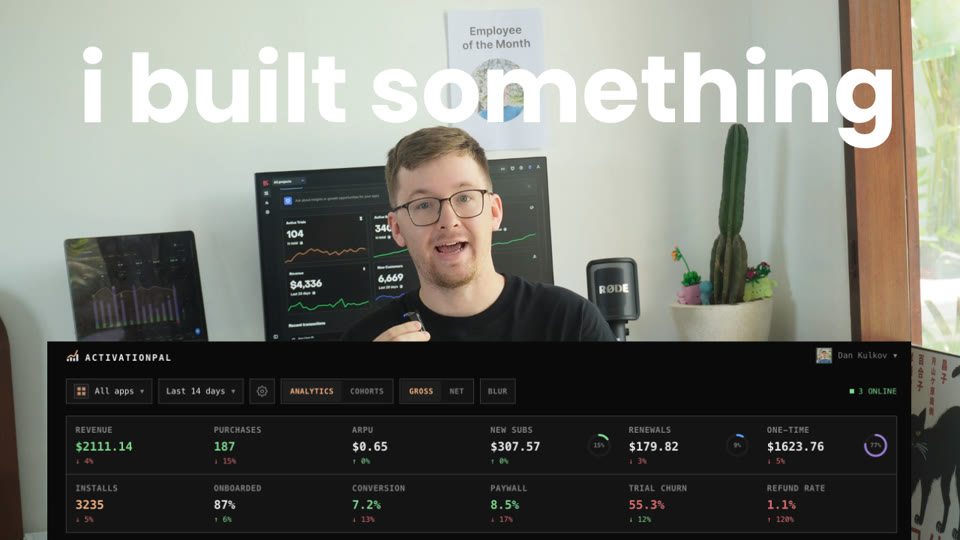
    RevenueCat dashboard placed over the camera

    Sound effects

    ·
    VisualsSounds
    TapSoft whooshPop
    03Motion slides

    Motion slides that keep your audience engaged.

    Transcript
    04Real editor

    AI video editor for creators.

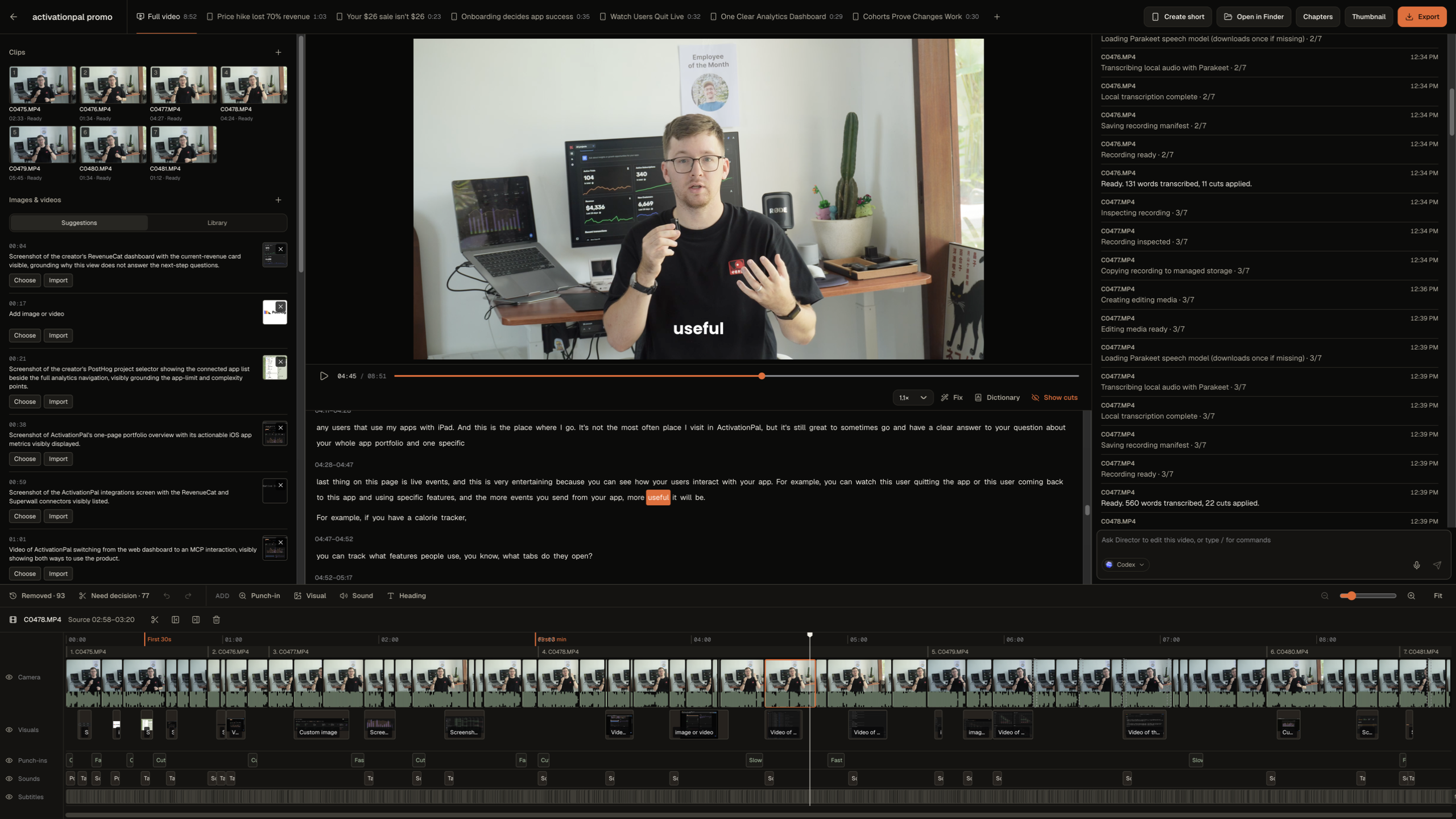
    The ClipsPal editor: media, preview, transcript, Director and a multi-track timeline

    Drag, trim, undo. Or just ask.

    Director

    Or take it to your editor.

    Premiere Pro
    DaVinci Resolve
    05Shorts & articles

    Turn your videos into shorts and articles.

    The full 8:52 ActivationPal promo
    Full video · 8:52

    Shorts

    Your $26 sale isn't $26
    Cohorts prove changes work

    Article

    i am sorry, but paywall IS NOT your problem

    My paywall makes $4,000+ a month across my apps.

    Some apps have 5% conversion. Others have 10%.

    Niche + pricing >> paywall design.
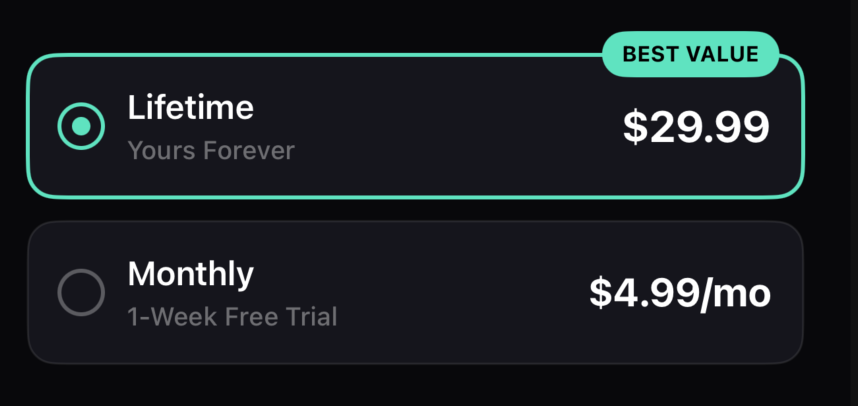
    Paywall offering lifetime access for $29.99 or a monthly plan for $4.99 with a one-week free trial

    I want to sell lifetime access: people pay once, and I get the money up front.

    Monthly gives people another way in if they aren't ready for that purchase.

    No second subscription.

    ClipsPal runs on the AI you already pay for.

    • Claude Code
    • Codex
    • OpenCode
    • Local model

    Get lifetime access.
    Edit your videos in minutes.

    $49once

    Lifetime access. No subscription.

    $49
    $49$99

    5 licenses left at $49. Then $59.

    Up $10 every 20 licenses.

    Everything in ClipsPal

    • One-click auto edit
    • Cuts failed takes and silences
    • Subtitles in 40 languages
    • Zoom-ins, visuals and sounds
    • Motion slides
    • Record voice only
    • Director: edit by asking
    • Articles from your video
    • YouTube chapters
    • Thumbnail editor
    • Shorts forTikTokInstagram ReelsYouTube Shorts
    • Export toPremiere ProDaVinci Resolve
    Updates forever2 computers per licenseRuns on Claude CodeCodexOpenCodeLocal model
    Get instant access

    Pay securely throughStripe

    Questions

    AI and privacy

    Which AI do I need?+

    One of four: Claude Code with a Claude Pro or Max plan, Codex with a ChatGPT plan, OpenCode with any provider you connect, or a free local model ClipsPal downloads for you. Nothing is billed per video.

    Does my footage get uploaded?+

    No. Video and audio stay on your computer, and so does transcription. Only the transcript goes to the AI you picked. With the local model, nothing leaves your computer.

    What are motion slides?+

    Animated slides the AI designs for the words you select.

    Which languages does it understand?+

    40 spoken languages, including English, Spanish, Hindi, Portuguese, French, German, Japanese, Chinese, Korean and Arabic.

    Your computer

    What computer do I need?+

    macOS 14 or later on a Mac with Apple Silicon or Intel, or Windows 11 on an Intel or AMD x64 computer. Windows is an unsigned beta; check the download page for availability.

    What differs on Intel Macs?+

    Everything works, including screen and camera recording and background removal. Transcription uses the same local Whisper model as Windows, downloaded once on first use, with lower accuracy than on Apple Silicon.

    What differs on Windows?+

    Import, edit, export, AI editing and local voice input are included. Windows bundles a local Whisper model, with lower transcription accuracy than Mac. No model download is needed on first run. Native screen and camera recording and background removal are Mac-only. The Windows beta is unsigned and may trigger SmartScreen.

    What kind of videos is it for?+

    Talking-head videos: YouTube, courses, founder updates, product walkthroughs. Anything you record in several takes.

    How many computers can I use?+

    2. Move the license from Settings anytime.

    Buying

    Can I download it before buying?+

    Yes. Download ClipsPal anytime; editing starts once you enter a license.

    Is it a subscription?+

    No. It’s a one-time payment for lifetime access to ClipsPal. Your version is yours to keep, with updates forever included.

    Are future updates included?+

    Yes. Your license includes updates forever.

    Can I finish the edit in another app?+

    Yes. Export the timeline to Premiere Pro or DaVinci Resolve.